Don't Start from Scratch
Drawing polygons is one of the most time-consuming parts of creating an animated map. Tracing the borders of the Roman Empire at different points in history, or outlining modern country boundaries — it's rewarding work, but it takes time. That's why we built the Community Library: a shared collection of maps and geographic data that anyone can browse, search, and copy into their own projects.
What's in the Library
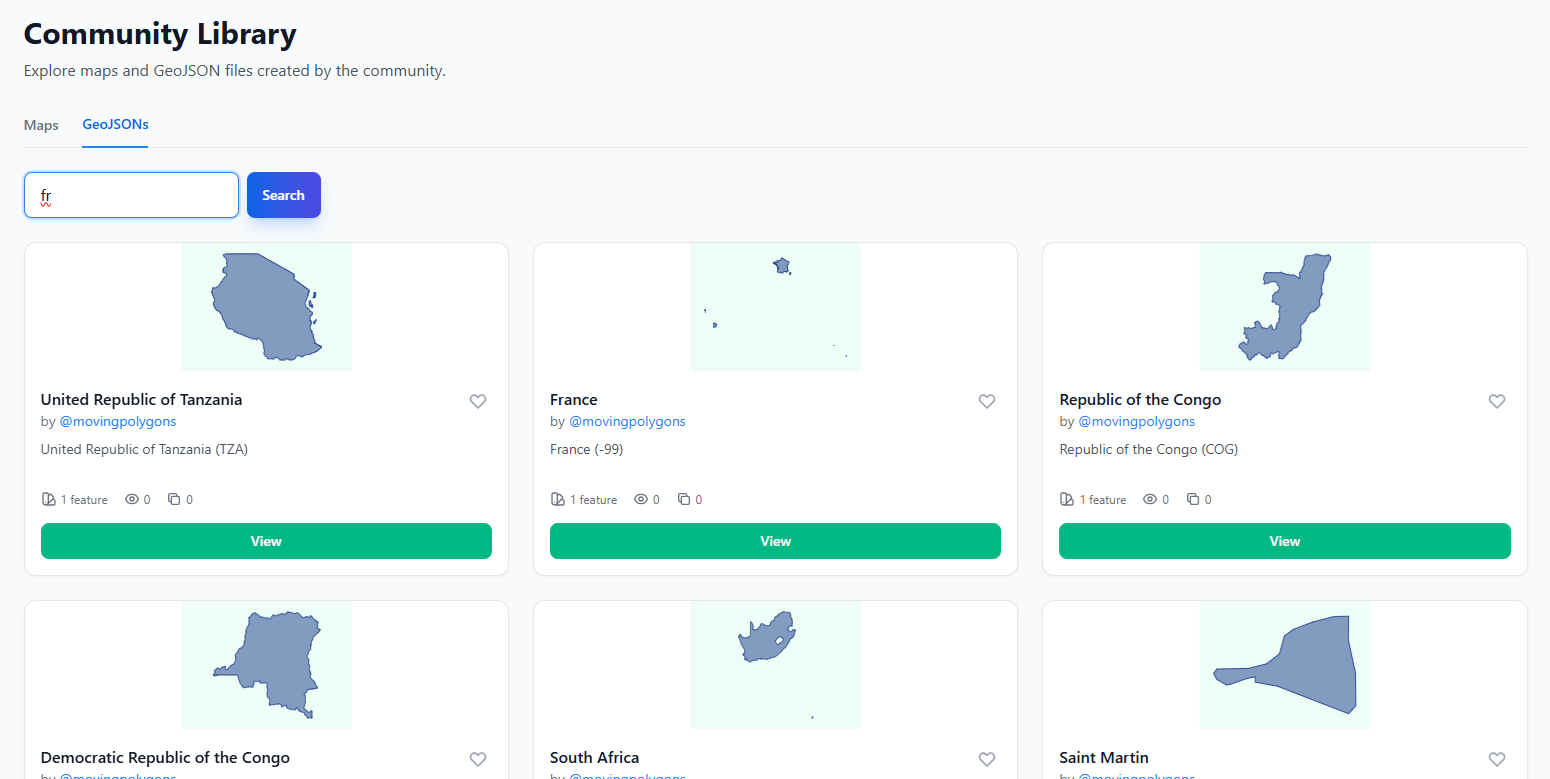
The Library is split into two sections. The first is Published Maps — animated timeline maps created by the community, showing how territories change over time. Each map card shows a visual preview, the creator's name, the number of timelines it contains, and how often it's been viewed or copied. The second section is GeoJSON Files — individual geographic datasets like country borders, regional boundaries, and other feature collections that you can use as building blocks.
You can search across the entire library by name, creator, or description, and filter to show only items you've favorited. Pagination keeps things manageable even as the collection grows. The library is available to all signed-in users and grows with every map that gets published.
Country Polygons Ready to Use
One of the most useful things in the library is the growing collection of country and territory polygons. Instead of manually tracing the borders of France, Brazil, or Japan, you can find pre-drawn polygons in the library and copy them directly into your map. This is especially valuable for historical maps where you need accurate borders at specific points in time — other users may have already done that research and drawn those boundaries.
Every polygon that gets published to the library becomes a resource for the entire community. The more people contribute, the more comprehensive the collection becomes. Our goal is to eventually have a thorough set of country polygons spanning different historical periods, so that anyone can quickly assemble a map without starting from zero.
How Copying Works
When you find a published map in the library that contains timelines you want to use, click the "Use" button on its card. This takes you to a copy interface where you can see every timeline in the map and select exactly which ones you need. You don't have to copy everything — if a map about European empires has five timelines but you only need the British Empire, just select that one.
Next, choose where to put the copied timelines: either into an existing map you're working on, or into a brand new map. Hit "Copy" and the selected timelines — including all their geometry, animation frames, styling, and labels — are instantly duplicated into your project. You'll be redirected to the editor where you can start customizing right away.
Attribution and Transparency
When you copy timelines from someone else's map, the system tracks that lineage. Published maps that contain copied content show attribution to the original creators, with clickable links back to the source maps. This keeps things transparent and ensures contributors get recognition when their work inspires new projects.
Every published map and GeoJSON file also displays a copy count, so creators can see how often their work is being reused. It's a simple metric, but it provides real feedback — if your meticulously drawn Ottoman Empire timeline has been copied dozens of times, you know it's making a difference.
Building Together
The Library is central to our vision for Moving Polygons. No single person can map all of history, and no one should have to. By making it easy to share and reuse geographic data, we're creating a collaborative ecosystem where every contribution builds on the last. Whether you're publishing a detailed map of Mesopotamian city-states or copying someone's modern EU boundary set for your own analysis — you're part of that cycle.
Head over to the Library to see what's already available, and consider publishing your own maps when they're ready. The more we share, the better the tools get for everyone.